This device isn't ready to save a form right now. Please ask your therapist to check their login on this device, or try again in a moment.
Bruno Therapy™
Human Performance Restoration™
Before we begin... I'd like to learn a little about how you're feeling today. Your answers will help personalize today's experience.
Bruno Therapy™
Client Intake
Step 1 of 2 — Personal Information & Health History
Personal Information
Health History
Session Goals
Today
Health & Safety
Bodywork
Previous Experience
Anything Else?
How Are You Arriving Today?
Quick Safety Screen
Previous Experience
Today
Informed Consent for Massage Therapy
Please initial each item to acknowledge you have read and understood it.
Massage therapy involves manual manipulation of soft tissue for relaxation, reducing muscular tension, improving circulation, and supporting overall well-being. My therapist is not a physician and does not diagnose illness or any physical disorder.
I understand risks include temporary soreness, bruising, sensitivity, aggravation of pre-existing injuries, or allergic reactions. I will inform my therapist of any health changes.
I have the right to request adjustments or end the session at any time. I will be treated with professionalism and respect. Draping will be used at all times for modesty.
All personal and health information is held in strict confidence and will not be disclosed without my written consent, except as required by law.
I have provided accurate health history and voluntarily consent to receive massage therapy. I may withdraw consent at any time.
Signature
Everything is ready. Please return the iPad to your therapist. Take a slow breath. Your experience begins now.
BRUNO THERAPY™
Therapist Access
Sign in with your email and password
Set a New Password
Your account has a temporary password. Set a new one to continue.
Master Access
Enter the Master password to continue
Bruno Therapy™
Master Admin
Therapists
Manage therapist accounts. Disabling ends their sessions immediately.
Loading...
Add Therapist
There is no automatic email delivery yet. Share this temporary password with the therapist through a separate channel — they will be required to set their own password on first login.
Client Records
Search, view, and export — read only. SOAP notes can only be created by a therapist.
Loading...
Client Intake Summary
Consent
Visit History
Access History
Dates use New Hampshire time (ET).
Choose a date range and click View. Viewing this report is itself an audited action.
Record Requests
Track formal requests for a client's records. This does not decide who is authorized — verify identity/authorization yourself before fulfilling any request.
Loading...
Log a New Request
Business
Computed from current client and visit records — no separate data entry.
Loading...
Audit Log
Every recorded access/action across the whole portal — not scoped to one client. This general view is not itself an audited action (only the per-client Access History Report is, per the compliance spec); it's Master browsing the trail, not extracting a specific record.
Dates use New Hampshire time (ET).
Choose a date range and click View.
Settings
Change Master Password
Invalidates all active Master sessions. Therapist sessions are unaffected.
Google Calendar
Connects the shared Google Calendar that Acuity syncs bookings into, so the portal can read today's/tomorrow's appointments. One-time setup — reconnect only if access is ever revoked.
Full Backup
Downloads all client records and the therapist directory as JSON. No passwords or secrets are included.
Session Expiring
Your session will expire soon due to inactivity.
Bruno Therapy™
Dashboard
Here's what needs your attention today.
Today's Schedule
Loading...
Action Required
Loading...
Quick Access
Clients
Intake Forms
Consents
SOAP Notes
My Clients
SOAP Summary (CSV)
Security
Upcoming Appointments
Loading...
Bruno Therapy™
Client Records
Client Records
Search for a client or view recent intakes
Loading...
Bruno Therapy™
Intake Forms
Loading...
Bruno Therapy™
SOAP Notes
Client Intake Summary
Consent
Previous Visits
Progress Over Time
Session Summary
S — Subjective
60-second capture — tap what applies, type only if needed.
Today's Focus
Pre-Session Pain / Discomfort
Changes Since Last Session
O — Objective
Palpation and observation findings — most detail lives in the body map below.
If pressure varied by region during this session, describe that here or in the note below — never in a hotspot's Intensity, which only describes how significant that finding is, not how hard you pressed.
Muscle Tone
Trigger Points
Range of Motion (ROM)
Tissue / Fascia
A — Assessment / Session Response
What was done, and how the client responded — not a medical diagnosis.
Techniques / Modalities Applied
Response to Session
Post-Session Pain / Discomfort
Pressure Comfortably Tolerated
The client's response to today's pressure — not what was applied (see below) and not their intake preference.
P — Plan
Kept short on purpose.
Follow-Up
Home Care / Recommendation
Pressure Applied This Session *
Required — select the primary pressure you actually used today. This is NOT the client's intake preference and is never assumed from it; you must pick it every visit.
Select the pressure applied before saving this SOAP note.
Treated Areas
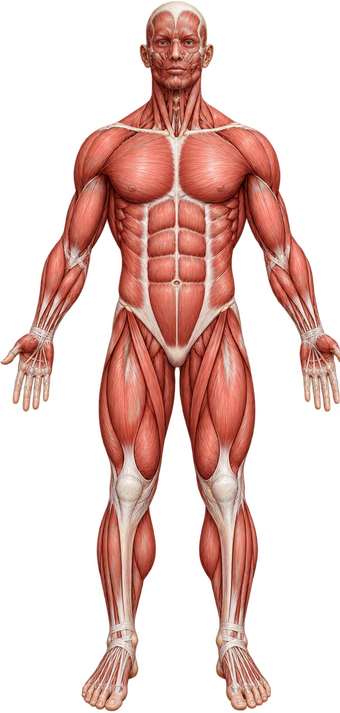
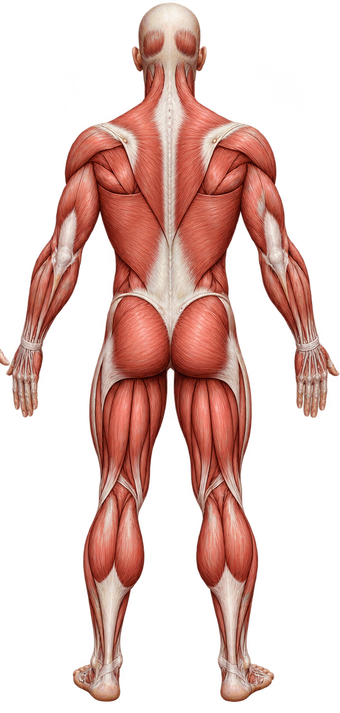
Tap and drag on the diagram to mark the areas worked on.
Tap a gold marker for a quick finding (Tension / Trigger Point / Restriction / Pain), or draw freehand for anything else.
S — Subjective
O — Objective
A — Assessment / Session Response
P — Plan
Permanently Delete Client
Intensity (optional)
Describes how significant this finding is — not how much pressure was used here. Regional pressure differences go in the Objective note, not here.
⚠ NO INTAKE / CONSENT ON FILE
has not completed intake & consent yet.
Please go back to the main screen, tap Client Forms, select this client's treatment, and hand the iPad to them so they can complete their forms. SOAP notes can't be opened until then.